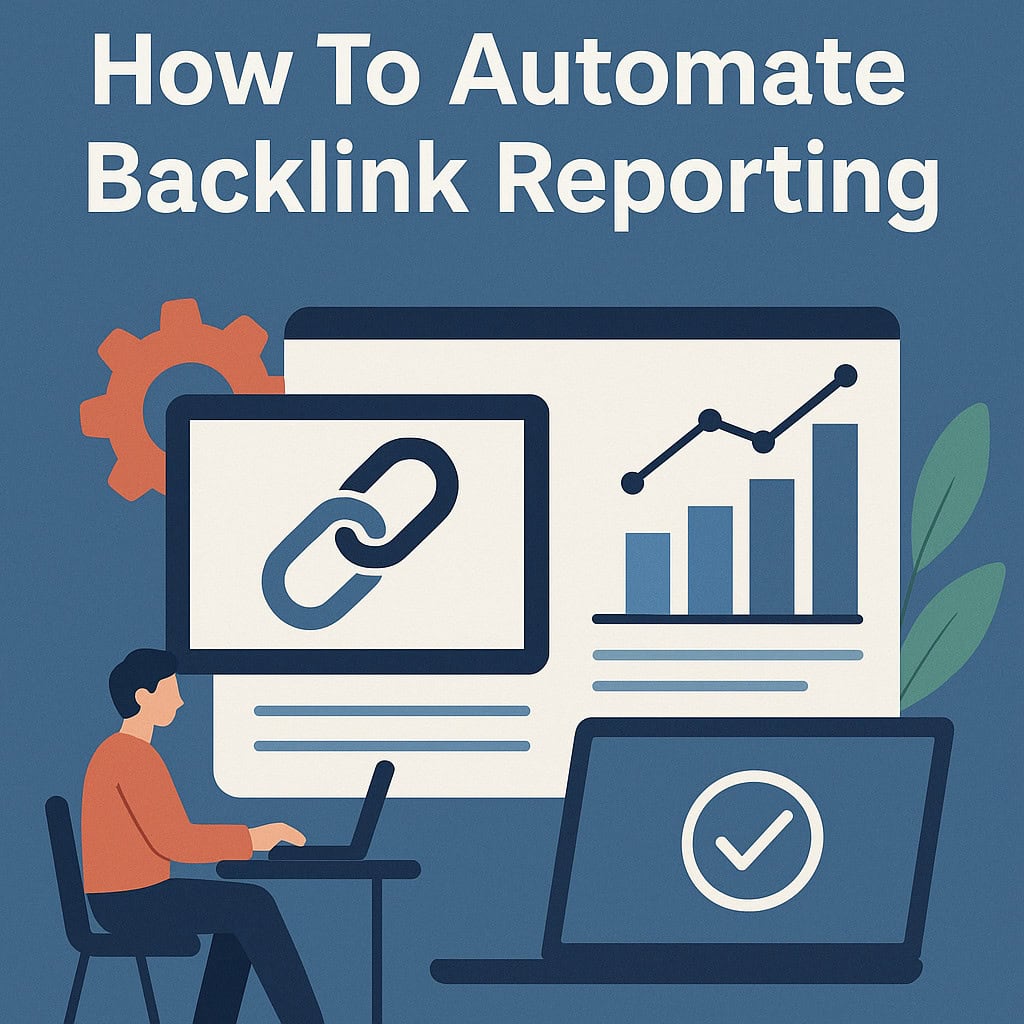
Tracking links manually feels like running on a hamster wheel. You spend hours each week copying data from different sources, updating spreadsheets, and double-checking numbers. This tedious process eats up valuable time that you could spend on strategy and growth.
The good news? Backlink automation tools can transform your workflow completely. These solutions handle the heavy lifting while you focus on what matters most.
This guide walks you through everything you need to know about automated link tracking. You’ll discover step-by-step instructions for setting up systems that work around the clock. We’ll cover the best tools available and share practical strategies you can use right away.
Whether you manage one website or juggle multiple client accounts, automation changes the game. Digital marketers, SEO professionals, and agency owners can all benefit from streamlined processes. You’ll get more accurate data with less effort and fewer mistakes.
Key Takeaways
- Manual link tracking wastes countless hours each week and increases the risk of human error in your data collection
- Automation tools provide consistent, accurate reporting while freeing up your time for strategic SEO activities
- This guide includes practical, step-by-step instructions you can implement immediately in your workflow
- Both single-site owners and multi-client agencies can benefit significantly from automated systems
- The right automation setup transforms tedious data collection into a streamlined, efficient process
Why Backlink Reporting Automation Matters for Your SEO Strategy
In today’s fast-paced digital landscape, automating your backlink reports isn’t just convenient—it’s essential for staying competitive. The way you monitor and analyze your link profile directly impacts your ability to maintain strong search rankings and identify growth opportunities before your competitors do.
Backlinks remain one of Google’s most influential ranking factors. Without consistent monitoring, you’re essentially flying blind through one of the most critical aspects of SEO success. Manual tracking simply can’t keep pace with the dynamic nature of the web, where new links appear and disappear daily.
Time savings represent one of the most immediate benefits of implementing automated systems. SEO professionals who switch to automation typically reclaim 10-15 hours per week that would otherwise disappear into manual data collection and spreadsheet updates. That’s nearly two full workdays redirected toward activities that actually move the needle.
The accuracy advantages of backlink monitoring software eliminate the human errors that plague manual reporting. Automated systems catch new backlinks the moment they appear in search engine indexes. They identify lost links before those losses impact your rankings, giving you time to respond strategically rather than reactively.
SEO reporting automation solves the scalability challenge that agencies and in-house teams face constantly. Managing backlink profiles for multiple websites becomes exponentially more difficult with manual processes. Automation allows your team to oversee dozens of sites without proportionally increasing workload or staffing requirements.
Real-time insights from backlink monitoring software create a significant competitive advantage. When you discover new link opportunities within hours instead of weeks, you can act while those opportunities still exist. Similarly, detecting toxic links or sudden drops in domain authority allows for immediate damage control.
| Reporting Approach | Time Investment | Accuracy Rate | Scalability | Response Speed |
|---|---|---|---|---|
| Manual Reporting | 12-15 hours/week per site | 75-85% (human error factor) | Limited to 2-3 sites | Weekly to monthly |
| Semi-Automated | 4-6 hours/week per site | 90-95% (partial automation) | Up to 5-10 sites | Daily to weekly |
| Fully Automated | 1-2 hours/week per site | 98-99% (system-driven) | Unlimited sites | Real-time to daily |
| Enterprise Automation | 30 minutes/week per site | 99%+ (advanced validation) | Unlimited with dedicated infrastructure | Real-time with alerts |
The strategic value extends beyond mere efficiency gains. Automation amplifies your expertise rather than replacing it. When systems handle repetitive data collection tasks, you’re free to focus on what actually requires human judgment—strategy development, relationship building, and creative outreach campaigns.
Consider how SEO reporting automation changes your daily workflow. Instead of starting each morning by logging into multiple tools to compile spreadsheets, you receive comprehensive reports automatically. Your first hour shifts from data gathering to data analysis and strategic decision-making.
For agencies serving multiple clients, automation becomes even more critical. Delivering consistent, professional reports on schedule builds trust and demonstrates value. Manual processes introduce variability and increase the risk of missed deadlines or incomplete data.
The competitive landscape demands faster response times than ever before. When a competitor loses a major backlink, automated systems alert you immediately. You can reach out to that same linking site while the opportunity is fresh. Manual monitoring means you might discover that opportunity weeks later—after someone else has already claimed it.
Backlink monitoring software also enables better communication with stakeholders. Automated reports present data in consistent, easy-to-understand formats. Executives, clients, and team members can track progress without requiring deep technical knowledge or dedicated time for explanation.
The goal isn’t to remove humans from the SEO equation—it’s to remove humans from the tedious, repetitive tasks that machines handle better. Your creativity, strategic thinking, and relationship-building skills become more valuable when they’re not diluted by hours of manual data entry.
Investment in automation pays dividends that compound over time. The hours saved each week accumulate into hundreds of hours annually. The accuracy improvements prevent costly mistakes. The scalability opens new growth opportunities that manual processes would make impossible to pursue.
Understanding Backlink Reporting Fundamentals
Effective backlink reporting starts with knowing exactly what data to track and why each metric impacts your search rankings. Many marketers jump into automation without grasping which numbers actually matter for their SEO strategy. This foundational knowledge ensures your link building reports deliver meaningful insights rather than just overwhelming spreadsheets.
The metrics you monitor directly influence how you assess link quality and make strategic decisions. Understanding these fundamentals transforms raw data into actionable intelligence that drives your SEO success forward.
Key Metrics to Track in Backlink Reports
Comprehensive backlink data analysis requires tracking multiple dimensions of your link profile simultaneously. Each metric reveals different aspects of your website’s authority and search engine performance. Let’s break down the essential measurements that belong in every professional backlink report.
Domain Authority (DA) and Page Authority (PA) are Moz-developed metrics that predict how well a website or specific page will rank in search results. These scores range from 1 to 100, with higher numbers indicating stronger ranking potential. When you analyze backlinks, the authority scores of linking domains help you assess the value each link brings to your site.
A single link from a DA 70 website typically provides more SEO benefit than ten links from DA 20 sites. This is why quality consistently beats quantity in link building strategies.
Tracking authority metrics over time shows whether your link acquisition efforts attract increasingly valuable connections. Your link building reports should highlight the average domain authority of new links acquired each month.
Referring Domains and Total Backlinks
Referring domains represent the number of unique websites linking to yours, while total backlinks count every individual link. This distinction matters significantly for SEO evaluation. Search engines generally value links from diverse sources more than multiple links from the same domain.
Getting ten links from ten different websites carries more weight than receiving ten links from a single site. The diminishing returns principle applies here, where additional links from the same domain provide progressively less value.
Your backlink data analysis should prioritize referring domain growth as a primary health indicator. Monitor the ratio between referring domains and total backlinks to ensure you’re building a naturally diverse link profile.
Anchor Text Distribution
Anchor text is the clickable words in a hyperlink that signals relevance to search engines. A natural anchor text profile includes branded terms, exact match keywords, partial matches, and generic phrases like “click here.” Over-optimization with too many exact match anchors can trigger penalties from search algorithms.
Healthy anchor text distribution typically includes 40-50% branded anchors, 20-30% partial match keywords, 15-25% generic phrases, and only 5-15% exact match keywords. These percentages help maintain a profile that appears natural to search engines.
Your link building reports should visualize anchor text distribution to quickly identify potential over-optimization issues. Regular monitoring prevents accumulation of risky patterns that could harm your rankings.
Link Quality Indicators
Beyond basic metrics, several quality indicators determine whether a backlink helps or hurts your SEO efforts. Spam scores predict the likelihood that a linking domain might be penalized by search engines. Most reputable SEO tools assign spam scores from 0-100, with higher numbers indicating greater risk.
Link placement significantly affects value as well. Editorial links within main content carry substantially more weight than sidebar or footer links. The do-follow versus no-follow attribute determines whether link equity passes to your site, though no-follow links still provide traffic and brand exposure benefits.
Relevance between linking sites and your niche matters tremendously. A link from an industry-related website signals stronger topical authority than a link from an unrelated source. Your backlink data analysis should flag low-quality links for potential disavowal consideration.
Manual vs. Automated Reporting: The Real Cost
The time investment difference between manual and automated reporting dramatically impacts your marketing efficiency. Manual backlink tracking requires logging into multiple tools, exporting data, consolidating information in spreadsheets, and formatting reports. This process typically consumes 2-4 hours per website weekly for thorough monitoring.
Automated solutions reduce this burden to 15-30 minutes for initial setup and ongoing monitoring. The time savings multiply significantly when managing multiple client sites or tracking competitor backlink profiles.
Let’s examine the actual cost comparison across different scenarios:
| Reporting Method | Weekly Time Investment | Monthly Time Cost | Annual Hours Saved |
|---|---|---|---|
| Manual Reporting (1 site) | 3 hours | 12 hours | 0 (baseline) |
| Automated Reporting (1 site) | 0.5 hours | 2 hours | 120 hours |
| Manual Reporting (5 sites) | 15 hours | 60 hours | 0 (baseline) |
| Automated Reporting (5 sites) | 2 hours | 8 hours | 624 hours |
These calculations reveal staggering efficiency gains when you scale beyond single-site monitoring. For agencies managing dozens of clients, automation becomes absolutely essential rather than merely convenient. The hours saved translate directly into capacity for strategic work that actually improves rankings.
Manual reporting also introduces higher error rates through repetitive data entry and formula mistakes. Automated link building reports maintain consistency and accuracy while eliminating human error from routine tasks. This reliability ensures stakeholders receive dependable information for decision-making.
The upfront investment in automation tools pays dividends through reduced labor costs and improved reporting quality. Most professionals recover their automation investment within the first month of implementation through time savings alone.
Essential Tools for Automated Backlink Reporting
When it comes to automating your backlink analysis, you’ll find dozens of tools competing for your attention and budget. The good news is that several proven platforms can handle the heavy lifting of link reporting software, each bringing unique strengths to the table. The real challenge isn’t finding a capable tool—it’s identifying which one aligns best with your specific workflow, client base, and reporting requirements.
No single platform dominates every category. Your perfect solution depends on factors like team size, monthly budget, number of websites under management, and which metrics matter most to your stakeholders. Let’s explore the leading options that have earned their reputation in the SEO community.
Ahrefs for Comprehensive Backlink Analysis
Ahrefs maintains the largest and most frequently updated backlink index in the industry, crawling over 8 billion pages daily. This massive database gives you the most complete picture of your link profile available anywhere. For agencies and consultants who need authoritative data, Ahrefs delivers consistently.
The platform’s automated reporting features save countless hours each week. You can schedule email reports to arrive at specific intervals, whether daily, weekly, or monthly. These automated SEO reports include new backlinks discovered, lost links, and changes in referring domain counts.
Ahrefs excels at alert systems that notify you immediately when important link events occur. Set up notifications for when competitors gain new backlinks, when your site loses valuable links, or when specific pages receive new referring domains. These real-time alerts help you respond quickly to opportunities and threats.
The dashboard customization options let you focus on metrics that matter to your specific goals, filtering out noise and highlighting actionable insights.
SEMrush Site Audit and Backlink Analytics
SEMrush positions itself as the all-in-one SEO platform, combining backlink analysis with keyword research, rank tracking, and technical audits. This integration makes it particularly valuable for agencies managing comprehensive SEO campaigns. You won’t need to jump between multiple platforms to gather complete client data.
The Backlink Audit tool automatically identifies potentially toxic links that could harm your rankings. It assigns toxicity scores and flags suspicious patterns that manual analysis might miss. This automated quality assessment protects your domain authority without requiring constant manual review.
For client presentations, SEMrush offers robust white-label reporting options. You can brand reports with your agency logo, customize color schemes, and remove all SEMrush branding. These professional presentations strengthen client relationships and justify your service fees.
The position tracking integration within SEMrush creates powerful connections between your backlink data and ranking movements. When you gain a high-authority link, you can immediately see if it correlates with improved positions. This link reporting software demonstrates clear ROI from your outreach efforts.
Moz Link Explorer and Reporting Features
Moz built its reputation on accessible, user-friendly SEO tools that don’t sacrifice power for simplicity. Link Explorer exemplifies this philosophy with an interface that new team members can navigate within minutes. The learning curve is gentler than with competing platforms.
Domain Authority remains one of the most recognized metrics in SEO, and Moz invented it. While not a Google ranking factor, DA provides valuable context when evaluating potential link partners or measuring your site’s improvement over time. Many clients specifically request DA data in their reports.
The Link Tracking Lists feature lets you monitor specific competitor backlinks that interest you. Add individual links to custom lists, and Moz will track their status over time. This focused monitoring helps you identify replicable link building opportunities without analyzing thousands of irrelevant links.
Scheduled reports arrive via email with customizable content and frequency. You can include metrics like new linking domains, lost links, spam score changes, and top-performing pages. These consistent deliverables keep stakeholders informed without requiring manual report generation.
Google Sheets and Data Studio Integration
Budget-conscious teams often overlook the powerful combination of Google Sheets and Data Studio (now Looker Studio). These free tools can aggregate data from multiple paid platforms, creating automated SEO reports that rival expensive enterprise solutions. The initial setup requires more technical effort, but the ongoing value is exceptional.
Several third-party connectors and add-ons pull backlink data directly into Google Sheets from APIs provided by Ahrefs, SEMrush, and Moz. Once configured, these sheets update automatically on your chosen schedule. You can then apply formulas, create pivot tables, and calculate custom metrics that matter to your business.
Data Studio transforms those spreadsheets into visually compelling dashboards with charts, graphs, and scorecards. These dashboards refresh automatically as underlying data changes, providing real-time visibility into backlink metrics. Stakeholders can access these dashboards anytime without waiting for scheduled report delivery.
The real magic happens when you combine backlink data with Google Analytics, Search Console, and rank tracking information. This unified view reveals correlations between link acquisition, organic traffic growth, and revenue changes. No single-purpose tool offers this level of customization.
| Platform | Best For | Key Strength | Starting Price Range |
|---|---|---|---|
| Ahrefs | Comprehensive link analysis | Largest backlink database | $99-$999/month |
| SEMrush | All-in-one SEO platform | Integrated campaign management | $119-$449/month |
| Moz | User-friendly interface | Domain Authority metrics | $99-$599/month |
| Google Sheets/Data Studio | Custom reporting on a budget | Free with unlimited flexibility | Free (plus API costs) |
Remember that you’re not locked into a single choice forever. Many successful agencies use Ahrefs for deep backlink analysis while relying on Google Data Studio for client-facing dashboards. Others combine SEMrush’s comprehensive features with specialized link reporting software for niche requirements.
Your tool selection should evolve as your business grows. Start with what fits your current needs and budget, then expand your toolkit as client demands and revenue increase. The most expensive platform isn’t automatically the best choice for your specific situation.
How To Automate Backlink Reporting: Step-by-Step Process
Setting up an SEO automation workflow doesn’t have to be complicated when you break it down into manageable steps. The process of automating your backlink reports requires careful planning upfront, but the time investment pays dividends through ongoing efficiency gains. This comprehensive guide walks you through each phase of implementation, from selecting the right tools to scheduling delivery of your finished reports.
Think of automation as building a machine that works for you 24/7. Once configured properly, it monitors your backlinks continuously, compiles data automatically, and delivers insights on your schedule. The initial setup might take a few hours, but it eliminates dozens of hours of manual work every month.
Choose Your Primary Backlink Monitoring Tool
Your backlink automation journey begins with selecting the right foundation tool. This decision impacts everything that follows, so take time to evaluate your options carefully. The tool you choose becomes the central hub of your reporting system.
Different tools excel at different tasks. Some offer massive link databases, while others provide superior reporting interfaces. Your choice should align with your specific needs, technical capabilities, and budget constraints.
Evaluating Tool Capabilities
Start by assessing what each tool actually offers beyond marketing claims. Data freshness determines how quickly you’ll spot new backlinks or lost links. Some tools update their indexes daily, while others refresh weekly or even monthly.
Index size matters significantly for comprehensive coverage. A tool with a larger link database discovers more of your backlinks, giving you a complete picture of your link profile. Check how frequently each platform crawls the web and how many pages they maintain in their index.
API availability is essential for automation. Without robust API access, you’ll struggle to connect your monitoring tool to reporting platforms. Verify that your chosen tool offers API endpoints for the data you need to extract.
Integration options expand your automation possibilities. Tools that connect natively with Google Sheets, Data Studio, or business intelligence platforms save you technical headaches. Look for pre-built connectors that eliminate custom coding requirements.
Budget Considerations
Pricing structures vary dramatically across backlink monitoring platforms. Free tools work adequately for small websites with limited backlink profiles. They typically impose restrictions on the number of links tracked or reports generated monthly.
Mid-tier plans ranging from $99 to $299 monthly suit most small businesses and individual consultants. These subscriptions usually include API access, automated reporting features, and sufficient crawl credits for regular monitoring.
Enterprise solutions costing $500+ monthly make sense for agencies managing multiple clients or large websites with extensive backlink profiles. These premium tiers offer white-labeling, higher API rate limits, and dedicated account support.
| Tool Tier | Monthly Cost | Best For | Key Features |
|---|---|---|---|
| Free Tools | $0 | Small sites, beginners | Basic tracking, limited reports, manual exports |
| Professional | $99-$299 | Individual consultants, small businesses | API access, automated reports, regular crawls |
| Agency/Enterprise | $500+ | Agencies, large enterprises | White-labeling, unlimited reports, priority support |
Connect Your Website and Configure Settings
After selecting your monitoring tool, the next step involves connecting your website and configuring how the system tracks your backlinks. This setup phase establishes the parameters for all future data collection.
Proper configuration ensures accurate tracking from day one. Mistakes during this phase can lead to incomplete data or missed backlinks, so follow each step carefully.
Adding Your Domain
Most platforms require domain verification to prevent unauthorized access to backlink data. This process typically involves adding a meta tag to your homepage or uploading a verification file to your root directory. The verification confirms you own or manage the domain you’re monitoring.
Enter your domain exactly as it appears online, including the correct protocol (https:// vs http://). Some tools distinguish between www and non-www versions, so verify you’re tracking the canonical version of your site.
If you manage multiple properties, add each domain separately. Many tools let you organize domains into folders or groups, which helps when generating reports across portfolio sites or client accounts.
Setting Crawl Frequency
Crawl frequency determines how often the tool checks for new backlinks and updates existing link data. Higher frequency provides more current information but consumes more of your plan’s crawl credits or resources.
For active link building campaigns, daily or every-other-day crawls make sense. You’ll spot new links quickly and can monitor whether they remain active. This frequent monitoring helps you identify and address issues promptly.
Maintenance monitoring for established sites works fine with weekly crawls. This schedule balances data freshness with resource efficiency. Monthly crawls suit sites with minimal link building activity or very stable backlink profiles.
Set Up Automated Data Collection
With your domain connected, you need to define exactly what data your automation should collect and monitor. This configuration determines which backlink changes trigger alerts and what information appears in your reports.
Thoughtful data collection setup ensures you track metrics that actually matter. Monitoring too many data points creates noise, while tracking too few leaves you blind to important changes.
Configuring Data Points to Monitor
New backlinks represent your most important metric. Configure your system to flag every newly discovered link pointing to your site. These alerts let you thank link sources, verify link quality, and spot potential spam quickly.
Lost links deserve equal attention. When backlinks disappear, you need to know immediately. Set up monitoring to track removed links so you can investigate causes and potentially recover valuable links.
Link attribute changes impact SEO value significantly. Monitor shifts from dofollow to nofollow, changes in anchor text, and modifications to link context. These alterations affect how search engines interpret your backlink profile.
Referring domain metrics provide context for link quality. Track domain authority scores, spam indicators, traffic estimates, and topical relevance. This data helps you assess whether new backlinks genuinely benefit your SEO.
Establishing Baseline Metrics
Document your starting point before automation begins collecting data. Record your total backlink count, number of referring domains, distribution of dofollow versus nofollow links, and overall domain authority.
These baseline metrics become your benchmark for measuring progress. When your backlink report templates show growth over time, you’ll compare against these initial numbers to demonstrate ROI.
Take snapshots of top referring domains and your most valuable backlinks. This historical record helps you identify trends and understand which link building tactics deliver the best results over time.
Create Report Templates
Report templates transform raw backlink data into actionable insights. Well-designed templates highlight the information your audience cares about most, presenting complex data in digestible formats.
Creating effective backlink report templates requires understanding your stakeholders. Different audiences need different information presented in ways that match their technical expertise and priorities.
Designing Custom Layouts
Start with an executive summary section at the top. This overview should present the most critical metrics and key changes since the last report. Busy stakeholders often read only this section, so make it count.
Organize subsequent sections logically. Group related metrics together—new backlinks in one section, lost links in another, quality assessments in a third. This structure helps readers find specific information quickly.
Use visual hierarchy to guide attention. Headers, subheaders, and white space create breathing room that makes reports scannable. Bold key numbers and use color coding to indicate positive changes (green) versus concerning trends (red).
Selecting Relevant Metrics
Your report template should include total backlinks as the headline metric. This number provides the big picture of your link building progress. Show both the current count and the change since the previous reporting period.
Referring domains matter more than total links. Multiple links from one domain carry less weight than diverse links from many domains. Feature this metric prominently in your templates.
Include dofollow versus nofollow ratios to demonstrate SEO value. While nofollow links still provide traffic and brand exposure, dofollow links pass authority that impacts rankings. Track the percentage of valuable dofollow links in your profile.
Top new backlinks deserve individual attention. List the 10-15 most valuable new links acquired during the reporting period, including metrics like domain authority, traffic, and relevance. This detail shows exactly where growth occurred.
Schedule Automatic Report Generation
The final step transforms your configured system into a truly automated solution. Scheduling eliminates the need to manually generate reports, ensuring stakeholders receive updates consistently without your intervention.
Proper scheduling balances information timeliness with report fatigue. Too frequent reports overwhelm recipients, while infrequent updates leave stakeholders in the dark about progress.
Setting Report Frequency
Weekly reports suit active link building campaigns. When you’re actively pursuing backlinks through outreach, content marketing, or PR efforts, weekly updates keep everyone informed about results. This frequency lets you adjust tactics quickly based on what’s working.
Monthly reporting works best for maintenance-phase websites. Established sites with stable backlink profiles don’t change dramatically week to week. Monthly reports provide sufficient detail without creating unnecessary work or inbox clutter.
Quarterly reports make sense for executive stakeholders who need high-level trends rather than tactical details. These comprehensive reports show progress over meaningful time periods and connect backlink growth to broader business outcomes.
| Report Frequency | Best Use Case | Typical Recipients | Key Benefits |
|---|---|---|---|
| Weekly | Active campaigns | SEO managers, link builders | Rapid feedback, tactical adjustments |
| Monthly | Maintenance monitoring | Marketing managers, clients | Balanced detail without overwhelm |
| Quarterly | Executive reporting | C-suite, board members | Strategic trends, business impact |
Configuring Email Delivery
Set up your automation to send reports to the right people at the right time. Most platforms let you specify multiple email recipients, so reports reach all stakeholders simultaneously. This eliminates the need to forward reports manually.
Choose delivery timing strategically. Monday morning reports get buried under weekend email accumulation. Tuesday or Wednesday morning delivery ensures reports receive attention when recipients are settling into their work week.
Configure file formats based on recipient preferences. PDF reports work well for formal presentations and executive reviews. CSV or Excel formats suit technical team members who want to analyze raw data further.
Establish consistent file naming conventions that include the date and reporting period. Names like “Backlink-Report-January-2024.pdf” make archived reports easy to locate. This organization helps when comparing historical trends or auditing past performance.
The initial configuration of your automated reporting system requires patience and attention to detail. However, once everything runs smoothly, you’ll reclaim hours every week while maintaining—or even improving—the quality of insights you deliver. Your SEO automation workflow becomes a reliable system that works continuously in the background, freeing you to focus on strategy and execution rather than data compilation.
Setting Up API Connections for Seamless Data Flow
Setting up automated connections between your backlink tools might sound technical, but today’s solutions make it surprisingly straightforward. API connections allow different software platforms to communicate and share data automatically, eliminating the need for manual exports and imports. When you master backlink API integration, you transform isolated tools into a unified reporting system that updates in real-time.
The beauty of automated link monitoring through APIs is that once configured, these connections run continuously in the background. Your backlink data flows from monitoring tools to spreadsheets, dashboards, and client portals without any manual intervention. This seamless data flow creates a truly automated reporting ecosystem that saves countless hours each month.
Modern API integration has become increasingly accessible, even for marketers without coding experience. Many platforms now offer user-friendly interfaces and step-by-step wizards that guide you through the connection process. Let’s explore how to set up these powerful integrations for your backlink reporting workflow.
Connecting SEO Tools to Google Sheets
Google Sheets serves as an excellent hub for consolidating backlink data from multiple sources. The platform’s flexibility allows you to manipulate, analyze, and visualize information in ways that suit your specific reporting needs. Connecting your SEO tools directly to Google Sheets creates a centralized data repository that updates automatically.
The connection process involves two main steps: obtaining the necessary API credentials and installing the appropriate add-ons. Both steps are straightforward and typically take less than 30 minutes to complete for your first integration.
API keys act as secure passwords that grant your applications permission to access data from SEO platforms. Most major backlink tools provide API access through their account settings or developer portals. Navigate to your account dashboard in tools like Ahrefs, SEMrush, or Moz, and look for sections labeled “API Access,” “Developer Tools,” or “Integrations.”
The process typically requires you to generate a new API key with a descriptive name like “Google Sheets Backlink Reports.” Store these keys securely, as they provide direct access to your account data. Many platforms allow you to set permission levels, so you can limit access to read-only functions for added security.
Some tools offer different API tiers based on your subscription level. Premium accounts usually include higher rate limits and access to more comprehensive data endpoints. Check your plan’s API allowance before building extensive automation workflows.
Installing Required Add-ons
Google Sheets add-ons bridge the gap between your spreadsheet and external SEO tools. Popular options include Supermetrics, API Connector, and SEO Tools for Excel, each offering different features and pricing structures. Access these through the Google Sheets menu by selecting Extensions > Add-ons > Get add-ons.
After installation, you’ll configure the add-on with your API keys. Most add-ons provide intuitive setup wizards that walk you through authentication. Once connected, you can create custom queries that pull specific backlink metrics directly into designated cells or sheets.
The real power emerges when you combine these connections with Google Sheets’ built-in functions. You can create formulas that automatically calculate domain authority trends, identify new referring domains, or flag lost backlinks. These formulas update automatically whenever fresh data flows through your API connection.
Using Zapier for Cross-Platform Automation
Zapier revolutionizes backlink API integration by connecting thousands of applications without requiring any coding knowledge. This platform uses “Zaps”—automated workflows triggered by specific events in your backlink data. When something significant happens with your link profile, Zapier can instantly notify your team or update related systems.
Creating a Zap starts with selecting a trigger application, such as your backlink monitoring tool. You might set a trigger for “New High-Authority Backlink Detected” or “Referring Domain Lost.” Zapier then monitors this condition continuously, waiting for the event to occur.
Once triggered, Zapier executes one or more actions across other platforms. Common automation workflows include sending Slack notifications to your marketing team, adding new backlink opportunities to your CRM for follow-up outreach, or posting achievements to project management tools like Asana or Trello. These workflows ensure your entire team stays informed about important link-building developments.
The multi-step Zap feature allows you to create sophisticated automation sequences. For example, when a competitor gains a high-value backlink, your Zap could automatically research that linking domain, add it to your outreach spreadsheet, and create a task in your project management system—all within seconds of detection.
Integrating with Client Reporting Dashboards
For agencies managing multiple clients, pushing automated link monitoring data into dedicated client dashboards creates transparency and demonstrates ongoing value. White-label platforms like AgencyAnalytics, DashThis, and ReportGarden specialize in consolidating marketing metrics from various sources into branded client portals.
These platforms typically offer native integrations with major SEO tools, making the connection process straightforward. Navigate to the integrations section, authenticate your backlink monitoring accounts, and select which metrics to display. Your clients gain 24/7 access to current link profile data without requiring any manual report generation on your part.
Custom dashboards allow you to highlight the metrics that matter most to each client. Some clients focus heavily on domain authority growth, while others prioritize the quantity of new referring domains. Tailoring these views ensures clients immediately see the information relevant to their specific goals.
Advanced implementations might involve building custom dashboards using platforms like Klipfolio or Google Data Studio. These tools offer greater flexibility in design and data visualization, though they require more initial setup time. The investment pays dividends when you can replicate a successful dashboard template across multiple client accounts.
| Integration Method | Best For | Setup Complexity | Cost Range |
|---|---|---|---|
| Google Sheets Add-ons | Data analysis and custom reporting | Low to Medium | $0-$100/month |
| Zapier Workflows | Cross-platform notifications and triggers | Low | $20-$250/month |
| White-Label Dashboards | Client-facing reporting portals | Medium | $50-$500/month |
| Custom API Development | Unique enterprise requirements | High | $1,000+ one-time |
The learning curve for backlink API integration has flattened considerably in recent years. Most platforms now provide comprehensive documentation, video tutorials, and responsive support teams ready to help troubleshoot connection issues. Don’t let initial intimidation prevent you from exploring these powerful automation capabilities.
Start with a single integration between your primary backlink tool and Google Sheets. Once you experience the time savings and data accuracy improvements, you’ll naturally want to expand your automation ecosystem. Each new connection compounds the efficiency gains, eventually creating a reporting system that practically runs itself.
Customizing Your Automated Backlink Reports
Automated backlink collection is just the beginning; the real value comes from presenting that data in ways that speak to each audience. A technical SEO manager needs different information than a company executive, and a client expects clarity rather than raw numbers. The beauty of SEO dashboard automation lies in its flexibility to transform the same data into multiple formats that resonate with different stakeholders.
Think of customization as translation work. You’re taking complex backlink metrics and converting them into meaningful insights for people with varying levels of SEO knowledge. This approach ensures everyone gets exactly what they need without overwhelming them with irrelevant details.
Tailoring Reports for Different Stakeholders
Different people in your organization need different perspectives on your backlink profile. Creating separate report versions prevents confusion and keeps everyone focused on what matters most to their role.
Technical SEO teams require comprehensive data with granular details. These reports should include domain authority changes, anchor text distributions, follow versus nofollow ratios, and link placement analysis. Technical audiences appreciate detailed tables showing crawl data, indexation status, and potential technical issues affecting link value.
Your internal developers and SEO specialists benefit from reports that highlight actionable technical improvements. Include metrics like page load times for linking pages, redirect chains, and broken link notifications.
Executive stakeholders need high-level summaries that connect backlink performance to business outcomes. These reports should focus on competitive positioning, market share visibility, and traffic potential from link building efforts. Executives respond well to trend lines, percentage changes, and comparisons against competitors.
Keep executive reports to one or two pages maximum. Use clear language that explains why backlink metrics matter for revenue and brand awareness. Avoid technical jargon and focus on strategic implications.
Client-facing reports require the most careful customization. Clients want to understand the value they’re receiving without getting lost in SEO terminology. These SEO client reports should translate metrics into tangible outcomes like “Your site now appears alongside industry leaders” or “This new backlink reaches 50,000 potential customers monthly.”
Visual progress indicators work exceptionally well for client reporting. Show month-over-month growth in referring domains, improvements in domain rating, and quality score increases with clear context about what these changes mean.
| Stakeholder Type | Primary Focus Areas | Report Format | Update Frequency |
|---|---|---|---|
| Technical SEO Team | Anchor text, link placement, technical issues, crawl data | Detailed spreadsheets with raw data | Weekly |
| Executive Leadership | Competitive position, traffic trends, ROI indicators | One-page visual summary | Monthly |
| External Clients | Quality improvements, business impact, growth metrics | Branded PDF with explanations | Bi-weekly or Monthly |
| Marketing Teams | Content performance, referring site types, audience reach | Interactive dashboard | Weekly |
White-Labeling Options for Agency Use
Agencies face unique reporting challenges when delivering SEO client reports that maintain professional branding. White-labeling transforms third-party tool data into reports that appear to originate from your agency’s proprietary systems.
Most professional SEO platforms offer white-labeling features that remove their branding entirely. You can replace tool logos with your agency’s logo, adjust color schemes to match your brand guidelines, and customize report URLs to reflect your domain name rather than the tool provider’s.
This customization significantly enhances perceived value. Clients see your agency as the source of sophisticated analytics rather than simply reselling another company’s software. The professional presentation builds trust and justifies premium pricing.
Start by uploading your agency logo in high resolution. Configure your brand colors throughout the report template, including headers, charts, and accent elements. Many platforms allow custom footer text where you can add your agency’s contact information and support details.
Consider setting up a custom subdomain like reports.youragency.com for delivering online dashboards. This small detail creates a seamless brand experience and prevents clients from seeing external tool branding when accessing their backlink data.
Adding Visual Elements and Data Visualization
Numbers in spreadsheets tell a story, but visual elements make that story immediately understandable. Strategic use of charts, graphs, and formatting transforms dense data tables into compelling narratives that stakeholders can grasp at a glance.
Visual elements serve two critical purposes: they highlight important patterns and they make reports more engaging. A well-designed chart communicates complex trends faster than paragraphs of explanation ever could.
Creating Charts and Graphs
Different data types require different visualization approaches. Choosing the right chart style ensures your backlink reporting communicates clearly without confusion.
Line charts excel at showing trends over time. Use them to display referring domain growth, domain authority progression, or monthly backlink acquisition rates. Line charts help stakeholders quickly identify whether your link building efforts are trending positively or need adjustment.
Bar charts work best for comparisons. Display your backlink profile against competitors, compare different link types (editorial versus directory), or show which content pieces attract the most links. Horizontal bar charts particularly shine when comparing multiple categories with long labels.
Pie charts effectively illustrate distribution and proportions. Show the percentage breakdown of dofollow versus nofollow links, traffic sources from referring domains, or the distribution of anchor text types. Limit pie charts to five or six segments maximum to maintain clarity.
Scatter plots reveal relationships between two variables. Plot domain authority against spam score to identify risky links, or compare link quantity versus quality metrics. These visualizations help spot outliers that deserve closer examination.
Most SEO dashboard automation platforms include built-in charting capabilities. Experiment with different visualization types to discover which formats your stakeholders respond to most positively.
Using Conditional Formatting
Conditional formatting applies automatic color coding that highlights important changes without requiring manual review. This powerful feature ensures stakeholders immediately spot what requires attention.
Set up green highlighting for positive developments: new backlinks from high-authority domains, increases in referring domains, or improvements in average domain rating. Green signals success and reinforces that your strategy is working.
Apply red formatting to concerning changes: lost backlinks from valuable sites, drops in domain authority, or increases in toxic link percentages. Red creates visual urgency and prompts immediate investigation.
Use yellow or orange for warning signs that need monitoring: new links with moderate spam scores, referring domains with declining authority, or anchor text that’s becoming over-optimized. Yellow indicates “pay attention” without triggering alarm.
Configure thresholds based on your specific goals. You might set green to trigger for any new backlink with domain rating above 50, red for lost links above DR 40, and yellow for spam scores between 30-50. These automated visual cues transform static reports into intelligent monitoring systems.
Remember that effective customization balances comprehensiveness with clarity. The goal isn’t to include every possible data point but to present the right information in the right format for each specific audience. Well-customized reports save time, improve decision-making, and demonstrate the tangible value of your backlink building efforts.
Best Practices for Maintaining Automated Backlink Reports
Automated backlink alerts and reporting systems require ongoing attention to deliver consistent value for your SEO strategy. While automation handles the heavy lifting of data collection, your reports need regular maintenance to stay accurate and relevant. Think of this as tuning up a car rather than fixing what’s broken.
The difference between effective link profile tracking and outdated reports often comes down to how well you maintain your systems. Without regular checkups, even the best automation can drift off course. Your reporting infrastructure should evolve alongside your website and business goals.
These maintenance practices aren’t burdens but opportunities to continuously improve the intelligence you gain from automation. Let’s explore how to keep your automated reports delivering maximum value over time.
Setting Up Alert Systems for Link Changes
Proactive notification systems catch important changes before they become serious problems. Automated backlink alerts should flag significant events that need immediate attention. You don’t want to discover a crisis weeks after it happens.
Configure alerts for several critical scenarios. Sudden spikes in new backlinks might indicate a negative SEO attack targeting your site. Losses of high-value editorial links require quick outreach to restore those connections. Dramatic changes in spam scores suggest profile contamination that needs investigation.
Your alert systems should also monitor competitor activity. When competitors gain links from websites on your prospect list, you’ll want to know immediately. This gives you a chance to reach out while those publishers are actively linking to content in your niche.
Setting appropriate thresholds prevents notification fatigue from minor fluctuations. Here’s a practical framework for alert sensitivity:
| Alert Type | Threshold Setting | Response Priority |
|---|---|---|
| New backlink spike | 50+ links in 24 hours | Immediate review required |
| Lost high-authority links | Domain Rating 70+ removed | Outreach within 48 hours |
| Spam score increase | 10+ point jump | Investigation within 1 week |
| Competitor link gain | Links from tracked prospects | Review during weekly audit |
Most backlink monitoring tools let you customize notification frequency. Daily digests work better than real-time alerts for most metrics. Save instant notifications for truly critical changes that demand immediate action.
Regular Quality Checks and Data Validation
Automation handles data collection, but humans should regularly validate accuracy. Link profile tracking tools occasionally report outdated information or miss important details. Schedule monthly quality checks to ensure your reports reflect reality.
Start by spot-checking that reported backlinks actually exist on linking pages. Click through to verify at least 20-30 random backlinks each month. You’d be surprised how often pages get deleted or links removed without crawlers catching the change immediately.
Verify that link attributes match what your tools report. Check whether links are truly follow or nofollow. Confirm anchor text accuracy, especially for your most valuable backlinks. Small discrepancies can multiply across your entire reporting system.
Cross-reference data between multiple tools to identify inconsistencies. Here’s a practical validation checklist:
- Compare total backlink counts across Ahrefs, SEMrush, and Moz
- Verify referring domain numbers match within reasonable margins
- Check that high-authority backlinks appear in all tools
- Investigate any links that only one tool reports
- Validate recent link acquisitions with manual checks
Conduct occasional manual backlink audits to catch links that automated crawlers might miss. Some valuable backlinks exist on pages that require JavaScript rendering or sit behind login walls. These often escape automated detection.
Document your validation process and findings. Keep notes about recurring discrepancies between tools. This historical context helps you interpret future reports more accurately and identify patterns in data quality issues.
Updating Report Parameters as Your Site Grows
Your reporting needs evolve as websites and businesses expand. What worked for a new site with 100 backlinks won’t serve a mature domain with 10,000 links. Plan to review and update your automated backlink alerts and reporting parameters quarterly.
Expand competitor tracking as you move into new market segments. When you launch products in different categories, add competitors operating in those spaces. Your original competitor set might no longer represent your most relevant rivals.
Adjust baseline metrics after major link building campaigns. If you’ve significantly improved your link profile, yesterday’s thresholds won’t catch meaningful changes. Recalibrate your normal ranges based on current performance levels.
Add new metrics as strategic priorities shift. Early-stage sites focus heavily on total backlink growth. Mature sites might care more about maintaining existing links or improving link relevance. Your reports should reflect current objectives.
Refine audience segmentation as stakeholder needs become clearer. Different team members need different information from the same data:
- Executives want high-level trends and competitive positioning
- SEO managers need detailed link attribute breakdowns
- Content teams care about which content attracts links
- Outreach specialists focus on new linking opportunities
Review whether your current report templates serve each audience effectively. You might discover that creating multiple specialized reports delivers more value than one comprehensive dashboard trying to serve everyone.
Schedule formal review sessions to assess your reporting infrastructure. Treat these as strategic planning opportunities rather than technical maintenance tasks. Ask whether your current link profile tracking gives you the insights needed to make better decisions about your SEO strategy.
Troubleshooting Common Automation Challenges
While automated backlink tracking systems save time, they occasionally present technical obstacles that need attention. Understanding these common issues and their solutions helps you maintain smooth operations. Most problems fall into predictable categories that become easier to solve with experience.
The good news is that automation challenges rarely require expert-level technical skills to fix. Many issues stem from simple configuration problems or external changes. With the right troubleshooting approach, you can quickly get your SEO metrics tracking back on track.
Dealing with Data Discrepancies
Different backlink tools often report different numbers, which can be confusing at first. This happens because each platform has its own index size and crawl frequency. Ahrefs might show 500 backlinks while SEMrush displays 450 for the same website.
These variations don’t necessarily mean something is wrong. Each tool uses different filtering methodologies and update schedules. Understanding why these discrepancies occur helps you interpret data more accurately.
The best approach is to establish one tool as your primary source of truth. Use it for consistent tracking over time while treating other platforms as supplementary perspectives. This creates a reliable baseline for measuring growth and identifying trends.
Watch for sudden metric changes that don’t match your link building activities. A dramatic drop might result from the tool updating its index rather than actual link losses. Cross-reference unusual changes with your other monitoring tools before panicking.
When investigating discrepancies in backlink tracking systems, check these common causes first:
- Tool index updates happening at different times
- Varying definitions of what counts as a quality backlink
- Different approaches to handling redirects and canonicals
- Filters automatically excluding certain link types
- Time delays between link discovery and reporting
Managing API Limitations and Rate Limits
API restrictions can disrupt your automation workflow if not properly managed. Most SEO platforms impose rate limits that restrict how many calls you can make per hour or day. Exceeding these limits causes your automated reports to fail or return incomplete data.
Rate limits typically range from 100 to 10,000 requests per day depending on your subscription tier. Data quotas add another layer of restriction by capping total requests per billing period. Large websites with extensive backlink profiles hit these limits more quickly.
Timeout issues occur when requesting large datasets that take too long to process. The connection drops before data transfer completes. This is especially common when pulling historical backlink data spanning several months.
Several strategies help you work within API constraints effectively:
- Batch your requests during off-peak hours when rate limits reset
- Cache frequently accessed data to minimize redundant API calls
- Implement exponential backoff when requests fail due to rate limiting
- Break large data requests into smaller chunks spread over time
- Upgrade to higher-tier plans when time savings justify the cost
Monitor your API usage through your tool’s dashboard regularly. Most platforms show remaining quota and reset times. Setting up alerts when you reach 80% of your limit prevents unexpected disruptions to your SEO metrics tracking automation.
| API Challenge | Common Causes | Effective Solutions | Prevention Strategy |
|---|---|---|---|
| Rate Limit Exceeded | Too many requests in short timeframe | Space out API calls, implement delays between requests | Monitor usage dashboard, schedule reports during low-traffic periods |
| Data Quota Reached | Monthly allocation depleted | Cache results, upgrade plan tier if needed | Track monthly usage trends, optimize data collection frequency |
| Request Timeouts | Large dataset queries taking too long | Break queries into smaller date ranges or URL batches | Test query sizes during setup, set appropriate timeout thresholds |
| Authentication Failures | Expired credentials or token refresh issues | Update API keys, reconfigure OAuth connections | Set calendar reminders for credential renewal, enable auto-refresh |
Ensuring Report Delivery Consistency
Report delivery failures frustrate both you and your stakeholders. Email filters commonly send automated reports to spam folders, especially when they contain attachments or come from unfamiliar domains. Recipients might not even realize they’re missing important backlink data.
Ask recipients to whitelist your reporting email address and add it to their contacts. Configure proper email authentication protocols like SPF and DKIM for your domain. These technical measures significantly improve inbox placement rates.
Scheduled reports sometimes fail to generate due to expired credentials or disconnected integrations. Your automation runs smoothly for weeks, then suddenly stops when an API token expires. Regular testing catches these issues before they become problems.
Formatting breaks happen when exporting data to certain file types automatically. Excel files might display dates incorrectly, or PDF exports could cut off columns. Test your export formats with sample data before relying on them for client delivery.
Some recipients don’t receive reports because of firewall restrictions or changed email addresses. Corporate email systems may block automated messages from external sources. Maintain updated contact lists and verify delivery methods periodically.
Implement these practices for reliable report delivery:
- Send test reports to yourself before scheduled client delivery
- Use multiple delivery methods (email plus cloud storage links)
- Set up confirmation notifications when reports generate successfully
- Create a backup manual generation process for critical reports
- Document troubleshooting steps for common delivery issues
Check your automation logs weekly to catch patterns of failure early. Most platforms maintain error logs showing which scheduled tasks succeeded or failed. Addressing small issues promptly prevents them from becoming major disruptions to your backlink tracking systems.
Conclusion
Setting up link audit automation transforms how you manage your SEO efforts. The time you invest in creating automated systems pays back many times over through consistent monitoring and faster response to changes in your backlink profile.
You don’t need to automate everything at once. Start with one tool that tracks backlink quality metrics for your main website. Set up basic alerts for new links and lost connections. This simple foundation delivers immediate value while you learn the system.
The real power of automation comes from freeing your schedule for strategic work. Machines handle data collection perfectly. Your expertise shines in analyzing trends, building relationships with site owners, and creating content that earns quality links naturally.
Your automated reports become more valuable as you refine them over time. Add metrics that matter to your specific goals. Remove data points that don’t inform decisions. The perfect reporting system evolves with your needs.
Remember that automation supports your judgment rather than replacing it. Complete and current backlink data helps you spot opportunities faster and address problems before they impact rankings. The combination of automated monitoring and human analysis creates the strongest SEO strategy.
Choose your first automation tool this week. Connect your website. Schedule your first automated report. Each small step moves you toward a more efficient workflow that scales with your success.
![12 Strategien zum Backlinks aufbauen [2026]](https://backlinkmanagement.io/wp-content/uploads/2025/12/12-Strategien-zum-Backlinks-aufbauen-scaled.jpg)



![Longtail Pro Moz or Majestic [Full Breakdown]](https://backlinkmanagement.io/wp-content/uploads/2025/11/ChatGPT-Image-Nov-14-2025-08_30_38-AM.png)
















![How Many Outbound Links Per Blog [2025 Updated]](https://backlinkmanagement.io/wp-content/uploads/2025/06/How-Many-Outbound-Links-Per-Blog.png)

![B2B and B2C Website Examples [2025 Updated]](https://backlinkmanagement.io/wp-content/uploads/2025/05/B2B-and-B2C-Website-Example-.png)


![What To Do After Keyword Research [2025 Guide]](https://backlinkmanagement.io/wp-content/uploads/2025/05/What-To-Do-After-Keyword-Research.png)
![Is Page Speed Really A Ranking Factor? [2025]](https://backlinkmanagement.io/wp-content/uploads/2025/05/Is-Page-Speed-Really-A-Ranking-Factor.png)











![Best Link Exchange Sites [Free & Safe] – Top 5 Picks](https://backlinkmanagement.io/wp-content/uploads/2025/04/Free-Link-Exchange.png)